Tutorial Guide
How to Use Our Canva Templates
Follow these simple steps to open, edit. customize. and download your designs with confidence.
Getting Started
Acces Your Template
Edit the Text
Change Color
Update Contact Info
Download Your Design
Printing Tips
Use in Your Marketing
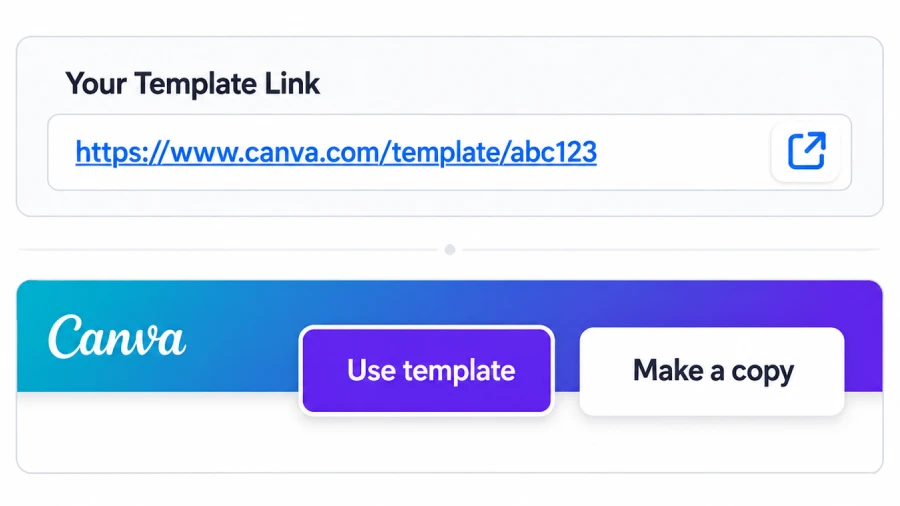
Access Your Template
After purchase, you'll receive a link to your template. Click the link to open it in Canva. Click "Use template" to open a copy in your Canva account. This creates your own editable version.
1
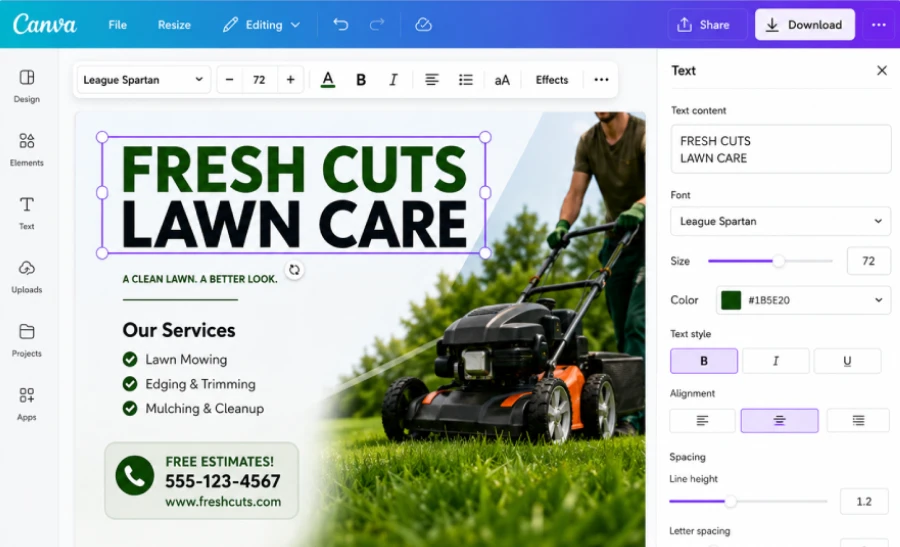
Edit the Text
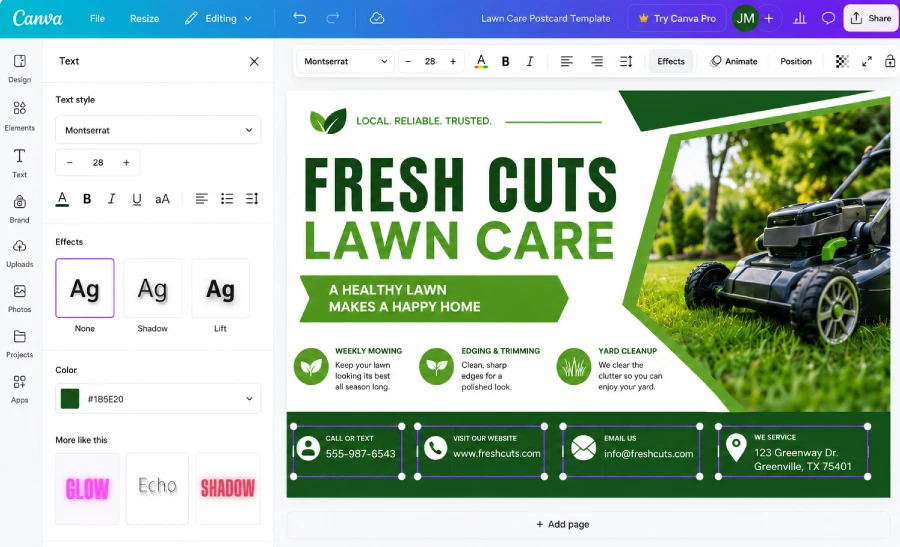
Click any text box to edit. Update your business name, services, phone number, website, and any other details.
2
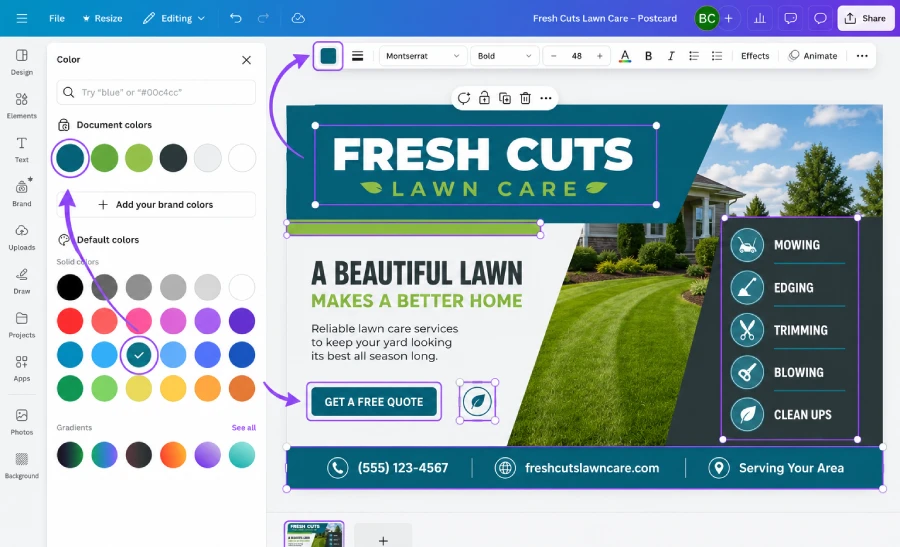
Change Colors
Use the color picker or brand colors to update text, shapes, backgrounds, and elements to match your brand.
3
Update Contact Information
Make sure your phone number, email, website, and social handles are correct and up to date.
4
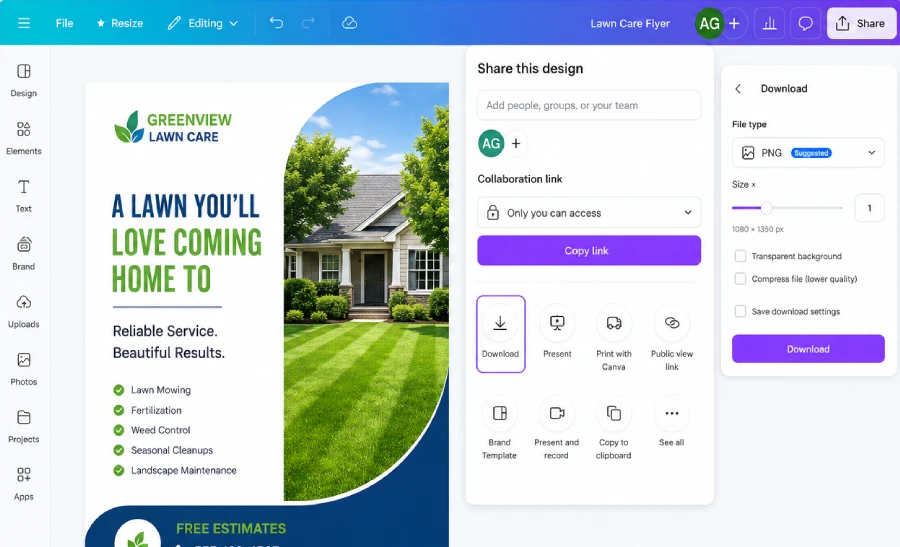
Download Your Design
Click "Share" then "Download". Choose your file type (JPG, PNG, PDF Print, or PDF Standard) and download your design.
5
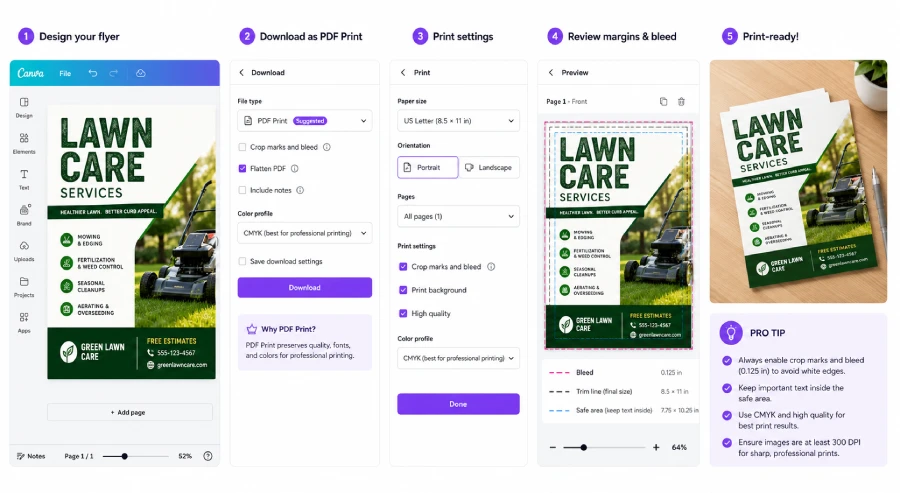
Printing Tips
For best print quality, use PDF Print with crop marks & bleed. Choose high-resolution images
(300 DPI) and CMYK color if available.
6
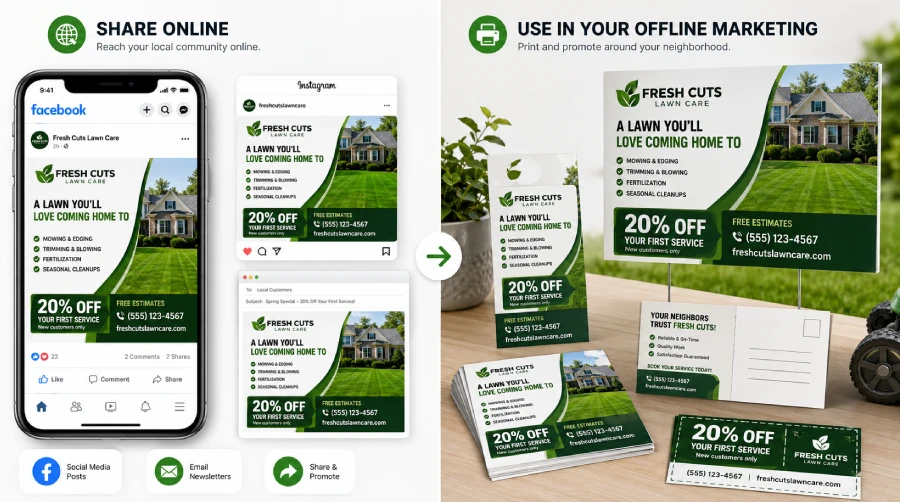
Use in Your Marketing
Once your design is ready, use it across your online and offline marketing. Share it on social media, send it by email, print it as flyers or postcards, and keep promoting your business wherever your customers are.
7
Quick Tips
- Save time by making a copy of your template
- Keep your brand consistent with your colors and logo
- Download in PDF Print for the best print quality.
Pro Tip
Save your customized template to reuse anytime. Just make a new copy and update the details!
Frequently Asked Questions
Can I use these templates for multiple locations?
Yes. You can customize the templates for different locations, branches, service areas, or client projects, as long as your purchase includes commercial use rights. Just make a separate copy for each location so your edits stay organized.
Do I need a Canva Pro account?
No. Most templates can be edited with a free Canva account. Some designs may use Canva Pro photos or elements, but you can easily replace them with free Canva elements, your own images, or your brand assets.
Can I share my template with my team?
Yes. You can share your Canva design with team members so they can view, edit, or help customize it. You can also make a copy first and share only the version you want your team to work on.
Can I download my design as a PDF for printing?
Yes. Canva lets you download your finished design as PDF Print, which is usually the best option for flyers, postcards, coupons, cards, and other printed materials. For best results, choose PDF Print and enable crop marks and bleed when needed.
What if I accidentally delete something?
You can usually undo changes in Canva by clicking the Undo button. If needed, you can also open your original template link again and make a fresh copy. We recommend duplicating your design before making major edits, so you always have a backup version.
We're Here to Help!
If you need assistance or have any questions. our support team is ready to help you succeed.
Response time: Approx. 48-72 hours.